Guides
Guest Photos and Privacy: A Practical GDPR Guide for Hosts
How to handle guest photos at a party or event under GDPR and UK GDPR: telling guests, moderation, children, private albums and deletion requests.
5 min read
If you show guests' photos on a screen or collect them in an album, the simplest way to respect their privacy is to be upfront about it: tell people photos will be projected, moderate what appears, take extra care with children, keep the album private and delete photos when someone asks. For a private family party, data protection rules generally apply lightly or not at all. For a company event, you should treat image consent as part of the invitation.
This article is general information for hosts in Europe and the UK, not legal advice. Rules and their interpretation vary by country and situation; if you're unsure, check with your national data protection authority or a lawyer.
Does GDPR apply to my party?
The GDPR (and the UK GDPR, its post-Brexit equivalent) has what's often called a "household exemption": purely personal or household activities, like a family birthday or a wedding among friends, generally fall outside its scope. That said, a few things can blur the line:
- The event is large or partly public.
- Photos are shared beyond the guests, for example posted publicly online.
- A business is involved in organising or processing the photos (a planner, a photographer, an employer).
- Children appear in the photos.
Even when the law doesn't strictly require anything, guests notice how you handle their pictures. Good habits cost nothing and avoid awkward moments.
Tell guests photos will be projected
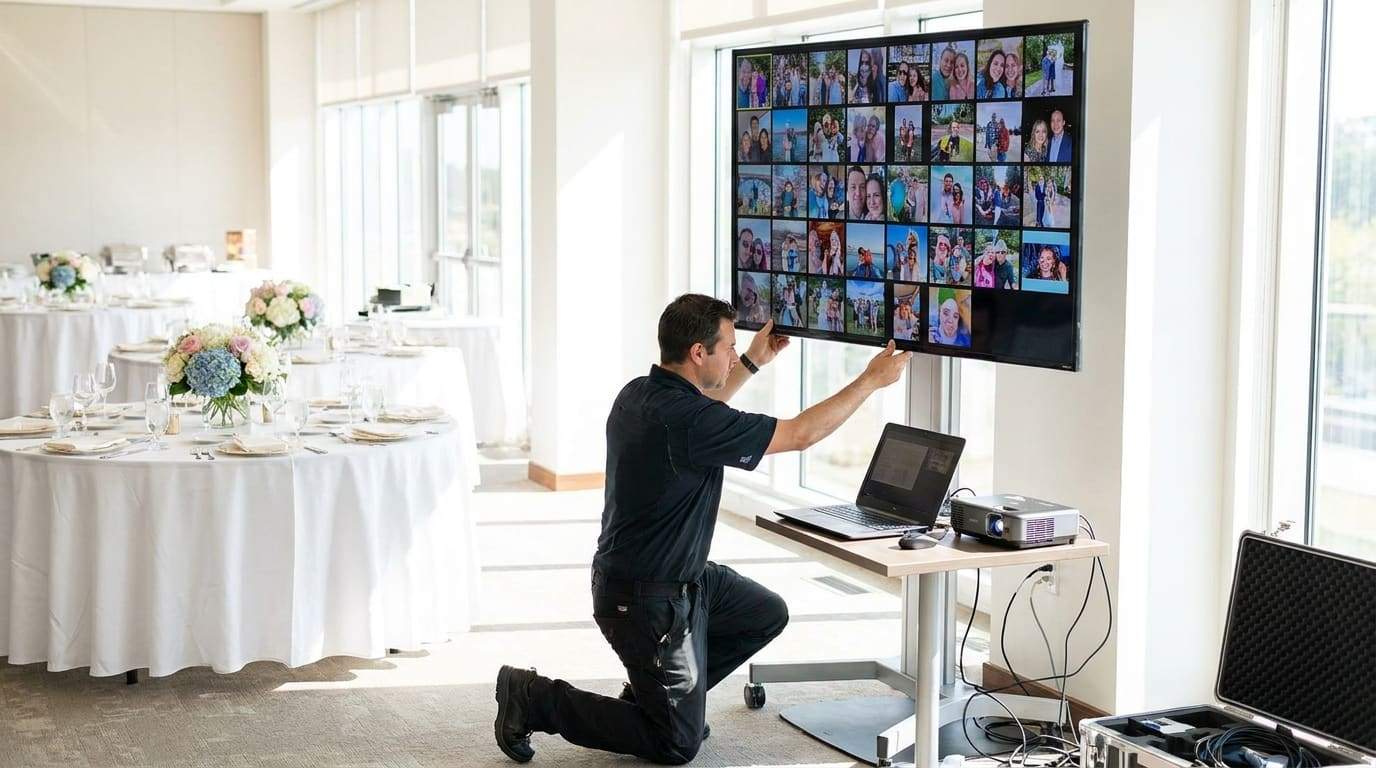
People behave differently when they know their photo might end up on a big screen. Let them know in advance:
- In the invitation or RSVP: a short line such as "We'll have a live photo wall: photos and messages you send will be shown on screen and saved in a private album."
- On the table cards or near the QR code: "Photos you send appear on the screen."
- From the MC: a quick mention when introducing the wall.
Posting is voluntary. Guests choose what to send, and with a QR-code wall they don't need an account, and giving a name is optional.
Use moderation
Moderation is your best privacy tool. With it on, nothing appears on screen until someone approves it. That lets you filter out:
- Photos of people who clearly didn't want to be photographed.
- Unflattering or compromising shots.
- Photos that include children who aren't with their parents' agreement.
- Anything with personal details visible, such as screens, documents or name badges you'd rather not show.
Brief your moderator: when in doubt, don't approve. A rejected photo never reaches the screen. In Moby Moments, a helper can moderate from their own phone with an operator PIN, so the job doesn't fall on the host.
Take extra care with children
Photos of minors deserve more caution than any other kind. Countries in Europe set different ages and rules for when parental consent is needed. In Spain, for example, children under 14 generally need consent from their parents or guardians for the use of their image and data; other countries set different thresholds.
Practical rules that work almost anywhere:
- Ask parents before showing close-up photos of their children on screen, or agree as a family that children won't be featured.
- Moderate any photo with children in it more strictly than the rest.
- Keep the album private, shared only with guests, and never post children's photos publicly without the parents' clear agreement.
- For quinceañeras and teenage parties, remember that many of the guests are minors. Moderation on, album private.
Keep the album private
After the event, approved photos typically stay in an online album. You decide who sees it:
- Share the link only with guests, by message or email, rather than on public social media.
- Add a password if the album holds photos of children, a corporate event or anything people might prefer to keep among themselves.
- Ask guests not to repost other people's photos publicly without asking them first.
A private link means people who weren't there can't stumble across it.
Delete photos when someone asks
If a guest asks you to remove a photo of themselves, do it promptly and without fuss, from both the screen (if the event is still running) and the album. It's courteous, and for events where data protection rules do apply, people generally have a right to request deletion.
Make it easy to ask: a line in the album message such as "If you'd like a photo removed, just let us know" is enough.
Corporate events: include image consent
Company dinners, conventions and conferences are a different matter. The employer or organiser is acting as a business, so data protection rules are more likely to apply in full. Good practice:
- State it in the invitation or registration, before people arrive: photos will be taken and shown on screens during the event, and may be used afterwards for specific purposes (for example internal communications).
- Be specific about reuse. Internal newsletter is one thing; public advertising is another, and usually needs clearer consent.
- Offer a simple opt-out, such as a different-coloured lanyard or a word with the organisers.
- Moderate everything shown on screen.
- Keep the album private and limit who has access.
- Involve your data protection or legal team if your company has one.
A quick privacy checklist for hosts
- Guests told in advance that photos will be shown on screen
- Notice next to the QR code
- Moderation turned on, moderator briefed
- Agreement from parents about photos of children
- Album link shared only with guests, password if needed
- Clear way to ask for a photo to be removed
- For corporate events: image consent and purposes in the invitation
Frequently asked questions
Do I need written consent from every guest at a private party?
Generally not for a purely private, family event, which usually falls under the household exemption. Telling guests in advance, moderating and keeping the album private is good practice regardless.
Can I post the album on social media?
It's best not to share the album publicly. If you want to post a few photos, ask the people in them first, and be especially careful with children.
What if a guest asks me to delete their photo?
Remove it from the screen and the album as soon as you can. It's the respectful thing to do, and where data protection rules apply, people may have a right to ask for deletion.
Are the rules the same in every country?
No. GDPR applies across the EU and the UK has its own UK GDPR, but national laws differ on details such as the age of consent for children's images. Check local guidance if in doubt.
Learn more
Moby Moments includes optional moderation, remote moderation from a phone and a private album you control. See how it works for parties and celebrations, or try the free demo, which runs in your browser without uploading anything.